Chat
Ask about your own content and approve what Distinctful AI proposes.
Start a conversation
- Open Chat in the sidebar.
- Type a question, or choose a starting point under the box: Find an angle, Write, Pressure-test, or What’s working.
- Use + to attach an image when you want Chat to look at one.
What Distinctful AI reads
Distinctful AI answers from this workspace: your posts and how they performed, your ideas, your calendar, your content strategy, your offers, and your newsletter data. When an answer is general advice instead, it says so.
Approve what it proposes
Distinctful AI can propose a draft, a calendar plan, an idea, a folder change, or a strategy update. Each proposal waits for you.
- Open the proposal to read it and change anything you like.
- Choose the approve button, such as Create draft, to keep it.
- Choose Dismiss to drop it.
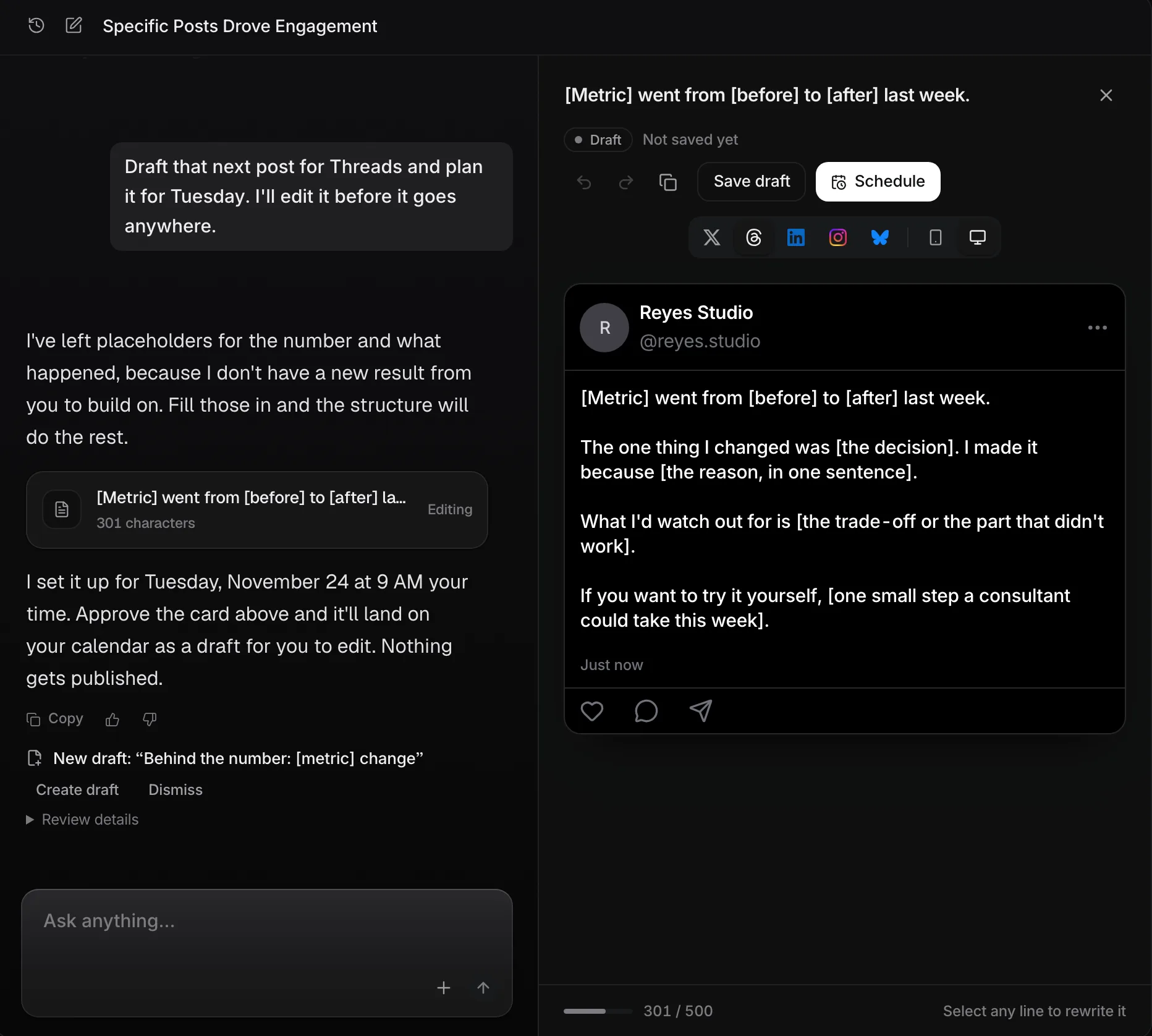
Note. Nothing is scheduled or published until you approve it. When you ask Distinctful AI in Chat to save an idea, it saves it right away and shows Undo. An approved draft waits on your calendar until you schedule it.
What Distinctful AI remembers
Distinctful AI keeps durable facts you tell it about your business and uses them in later conversations. Open Settings → General to read your Chat memories and remove any that are wrong or out of date. You can also ask Distinctful AI in Chat to forget something. On a team, only the owner sees and removes memories.
Workspaces and privacy
Distinctful AI reads and proposes only for the workspace you are in. Switch workspaces to work on another brand. That brand has its own strategy, data, and memories.
On Scale, your conversations are private to you. Teammates in the same workspace cannot read them.
Credits
Each message uses one AI credit. Approving or dismissing a proposal costs nothing. See Chat and credits for your balance and what spends a credit.