Subscribers
Read your newsletter audience and how each edition did.
Before you start
Subscribers reads the newsletter you connect from beehiiv, Kit, or Ghost. If you connected more than one publication, switch between them at the top of the page.
Note. Distinctful reads your newsletter. You write and send editions in your newsletter service.
Readers
The reader list groups people into five stages: New, Engaged, Super-fans, At risk, and Churned. Distinctful assigns a stage from the opens and clicks your provider reports.
- Search by email or name, or filter by Source and Tags.
- Select a reader to see when they subscribed and what they have opened.
- Choose Export to download the list.
On a team, only the owner sees individual readers.
Growth
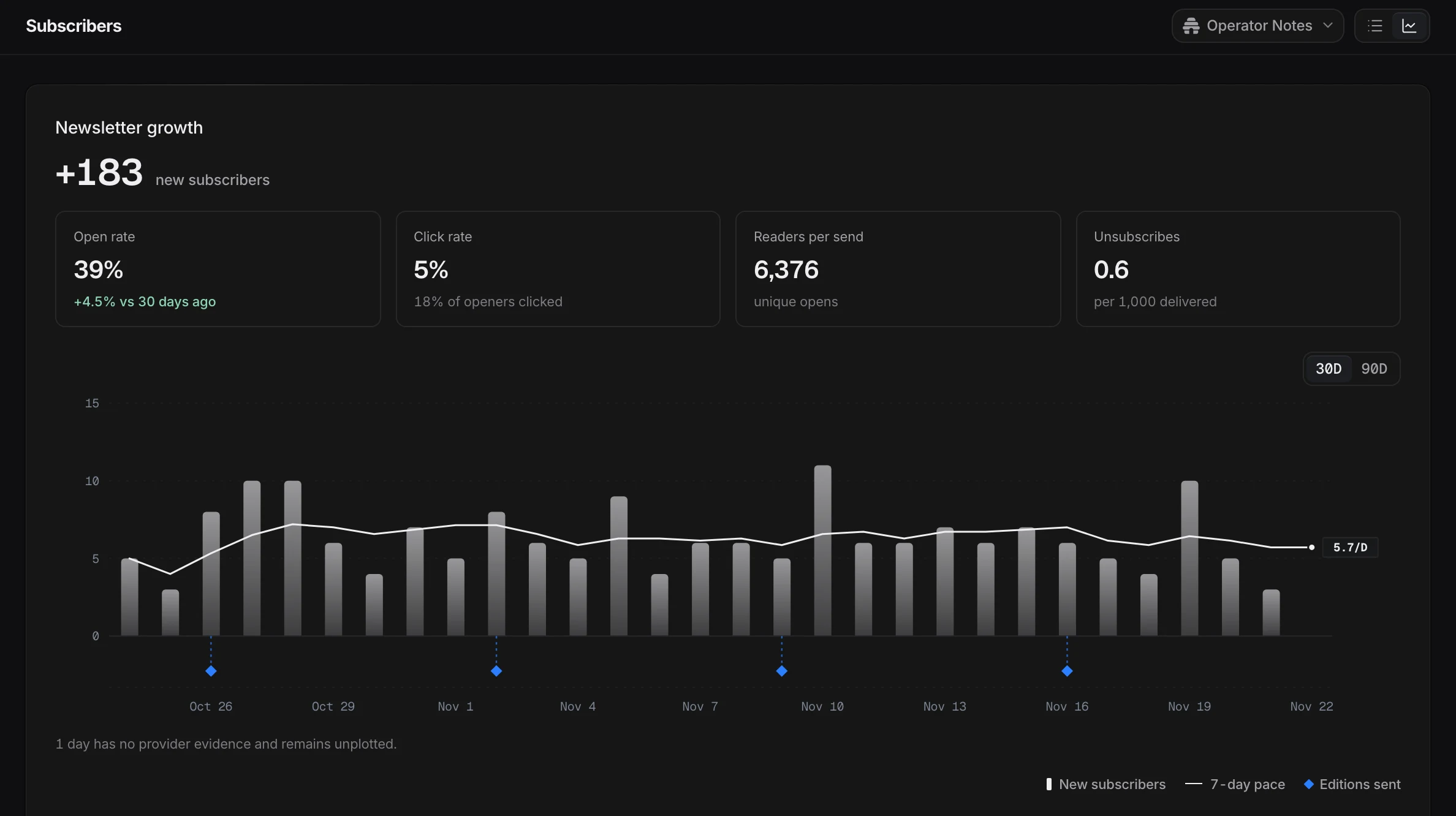
Switch to the growth view with the chart button at the top right. It shows new subscribers, open rate, click rate, readers per send, and unsubscribes over 30 or 90 days. Markers on the chart show when an edition went out.
Editions
Recent editions lists your latest sends. Choose All editions for the full archive with opens, clicks, and subscribers gained for each one.
Distinctful AI can read your synced editions. Ask it to turn one into social drafts, then approve the ones you want.
When a number looks off
Providers count subscribers in different ways. See newsletter data for which number to trust and how to refresh.