Quickstart
Connect one account and prepare your first draft.
Connect your first account
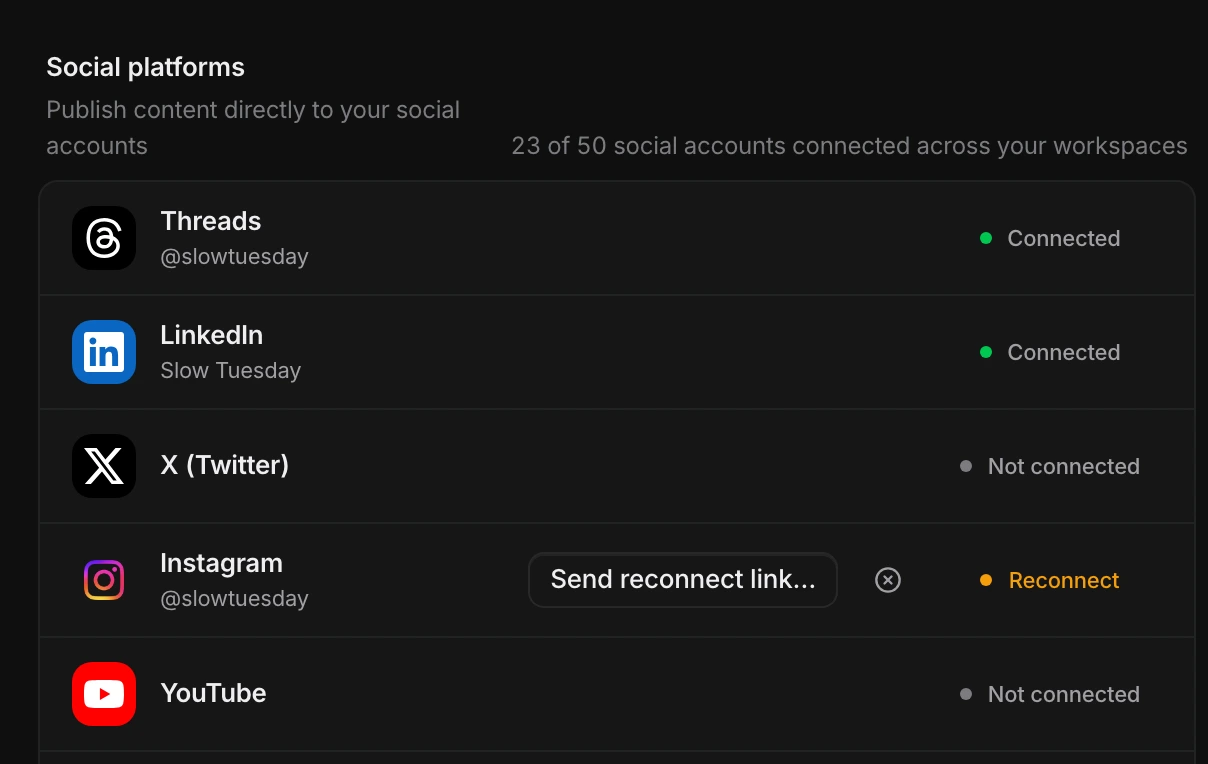
- Open Settings → Social accounts. If you work with more than one client, check the workspace name first.
- Pick the platform you want to publish to and complete its connection steps.
Make a draft
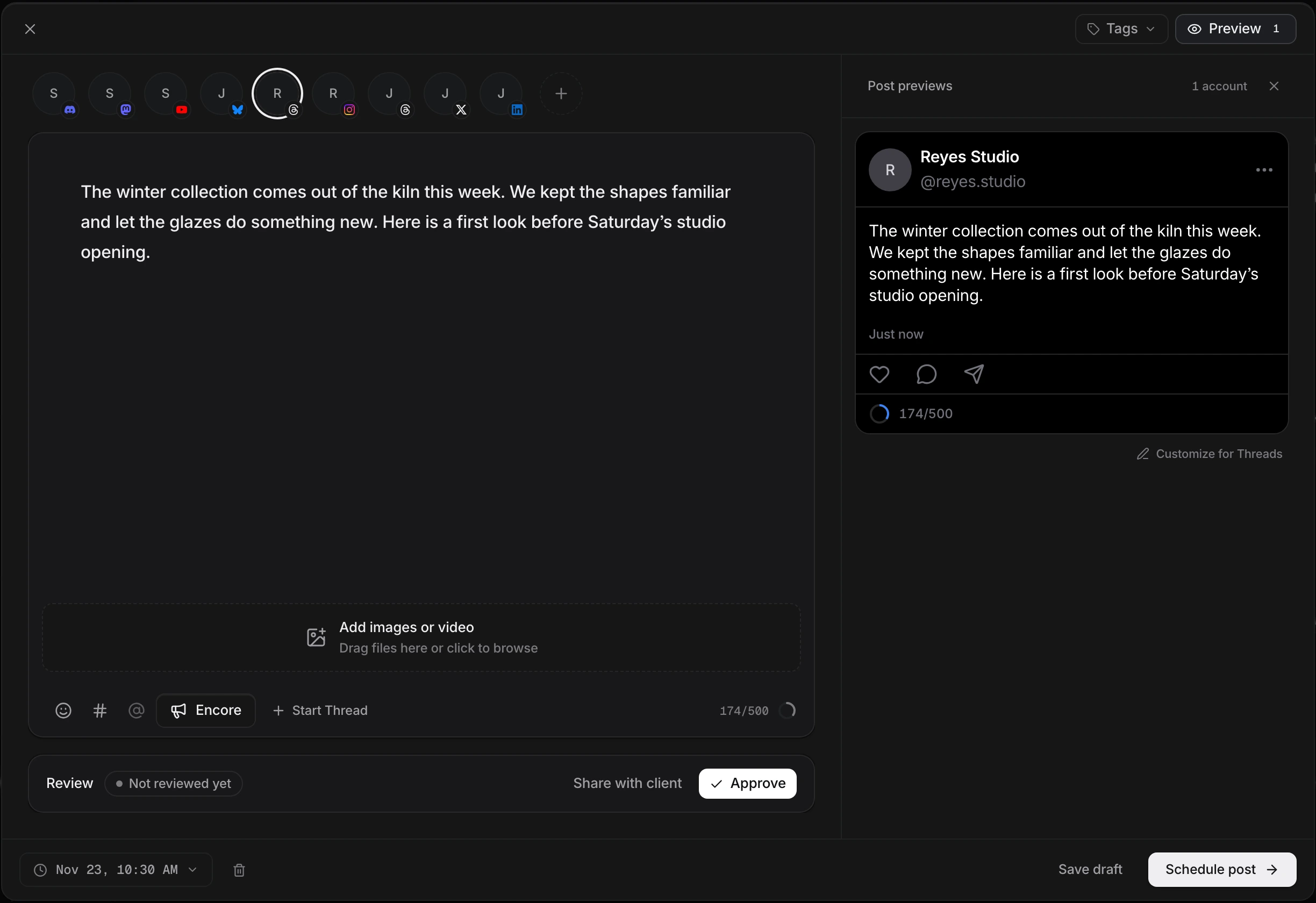
- Open Calendar and create a draft.
- Select the connected account and write the post.
- Check its preview to see how the text and media fit that destination.
Choose when it goes out
Keep the draft on your calendar while you work. When it is ready, choose a time and schedule it.
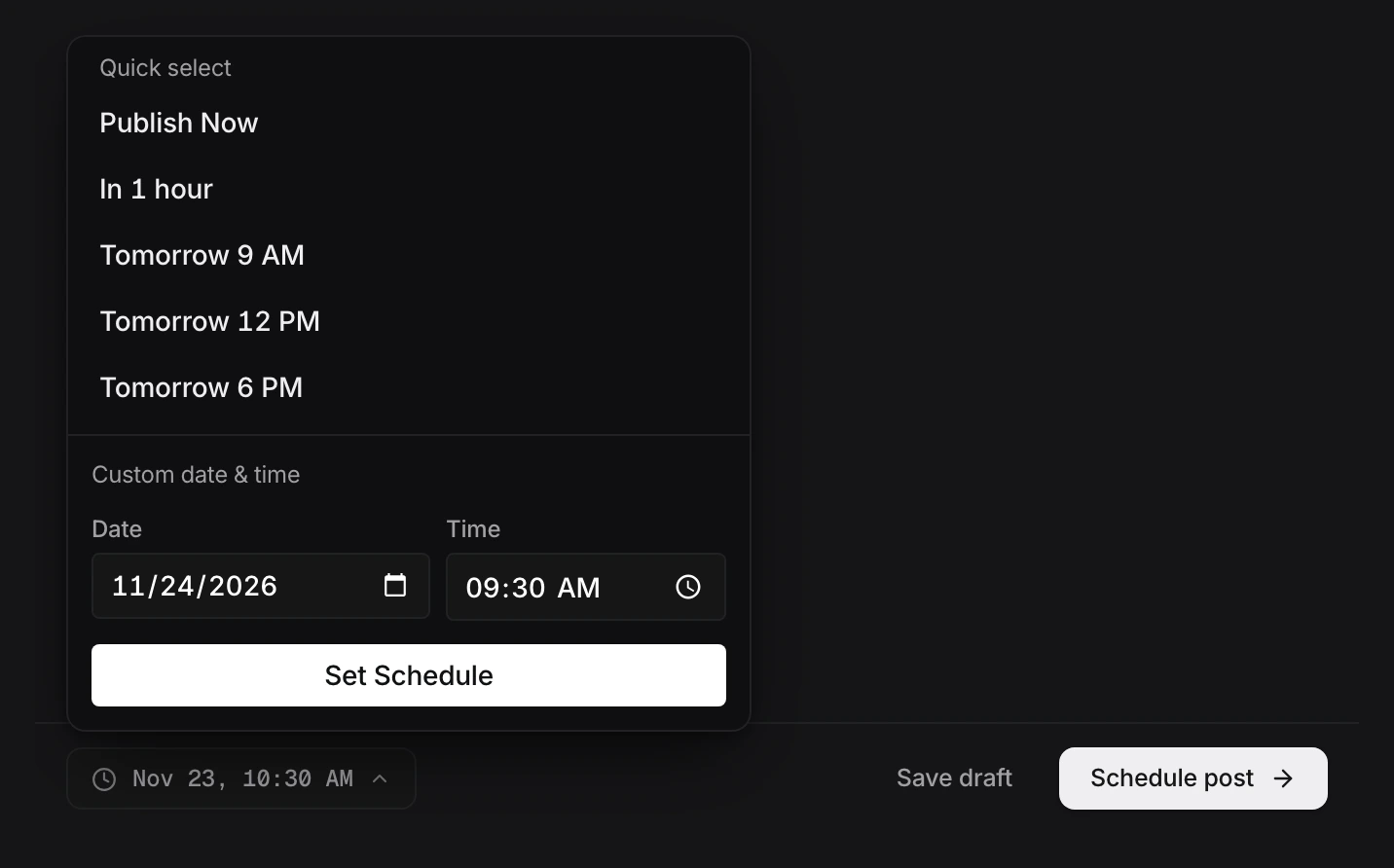
Note. Giving a draft a planned date alone leaves it as a draft. Nothing posts until you schedule it.
If you are an Editor, request review before scheduling.