Publishing and scheduled posts
What each publish state means, and what to do when a post does not go out.
My post says Retrying. Do I need to do something?
A post is sitting in Retrying rather than Live.
No. Retrying means the first attempt did not land, and Distinctful is already having another go on its own. This is the normal response to a platform being briefly slow or unreachable. Leave it be. It moves to Live by itself, or to Failed if the retries run out.
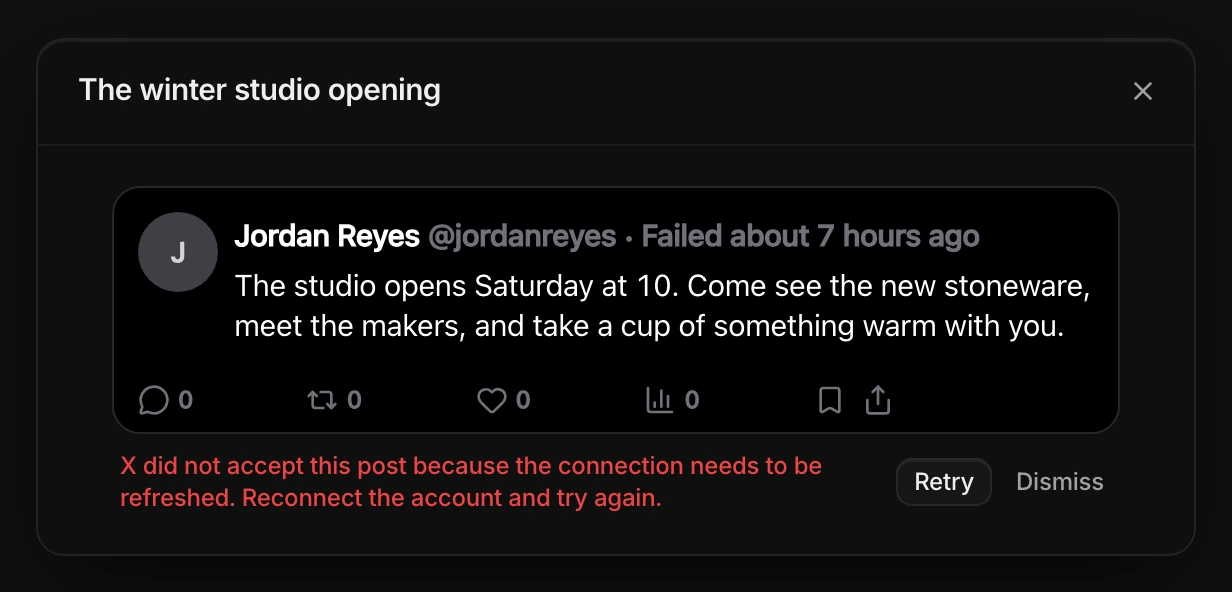
My post says Failed. What happened?
A post is marked Failed and never appeared on the platform.
Failed means the retries ran out, so this is the one publish state that needs you. There are two usual causes: the connection expired partway through, or the platform rejected the post under its own rules, such as a length or media limit. Check the connection first, because that takes seconds to rule out.
- Open Social accounts in Settings and check whether that platform shows Reconnect. If it does, reconnect and publish again.
- If the connection looks healthy, check the post against that platform’s limits for length and media.
- If neither explains it, email us with the post and the platform, and we will look at the record behind it.
What do the other publish states mean?
Queued means the post is about to go out. Scheduled means it is waiting for the time you picked. Publishing means it is being sent this moment. Live means it landed. Cancelled means someone stopped it before it went out, so it is never something Distinctful did on its own. Partially posted means only part of a thread went out. A YouTube video can show Private or Unlisted to match its visibility.