Plans, trial, and billing
Trial, upgrades, downgrades, subscriber limits, and where billing is managed.
How do I change or cancel my plan?
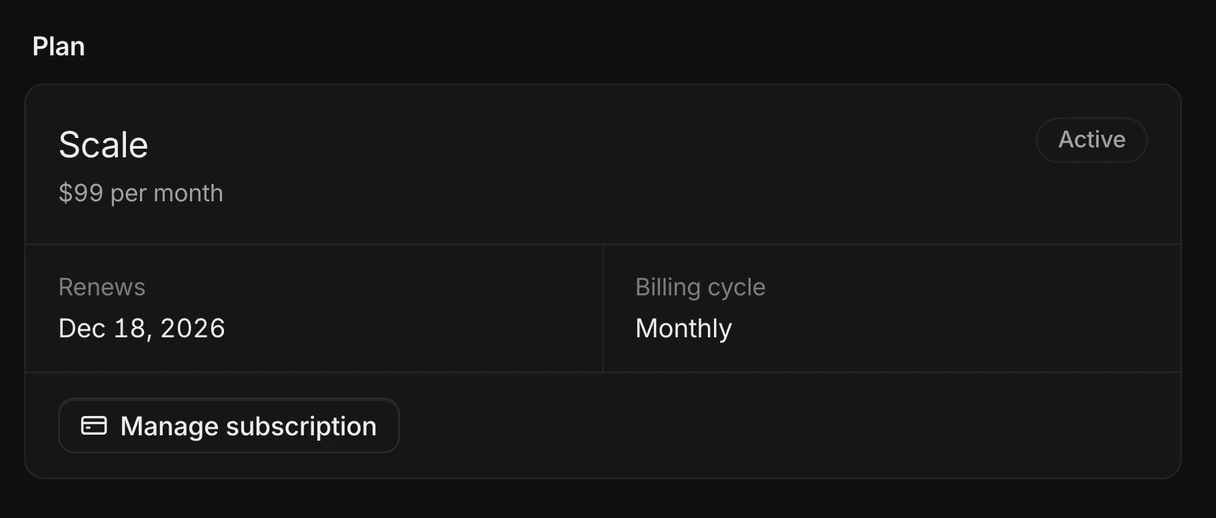
Everything to do with payment happens in the billing portal, which you open from the Billing tab in Settings. Change plan, update your card, and cancel are all there. If you are still on your trial, Distinctful asks you to confirm before it opens the portal, so nothing is charged without you agreeing to it first.
- Open Settings and go to the Billing tab.
- Choose Manage subscription, and confirm if you are asked to.
- Make your change in the portal that opens.
When does an upgrade or downgrade take effect?
An upgrade starts right away, and you only pay the difference for the rest of the month. A downgrade starts at the end of your current billing cycle, so you keep what you already paid for until then. Neither one costs you a penalty.
What are the subscriber limits on each plan?
Grow covers up to 50,000 subscribers across 2 publications. Scale covers up to 200,000 across 3. When your list grows past Grow, you move up to Scale.
My trial ended. Can I start another one?
You are being asked to pick a plan instead of being offered a trial.
The 14-day trial runs once per account, so once it is used Distinctful asks you to pick a plan rather than offering it again. Nothing you created during the trial is deleted while you decide.