Connections and reconnecting
What each connection state means, and how to fix one that stopped working.
What do the connection states mean?
A platform shows a state you do not recognize.
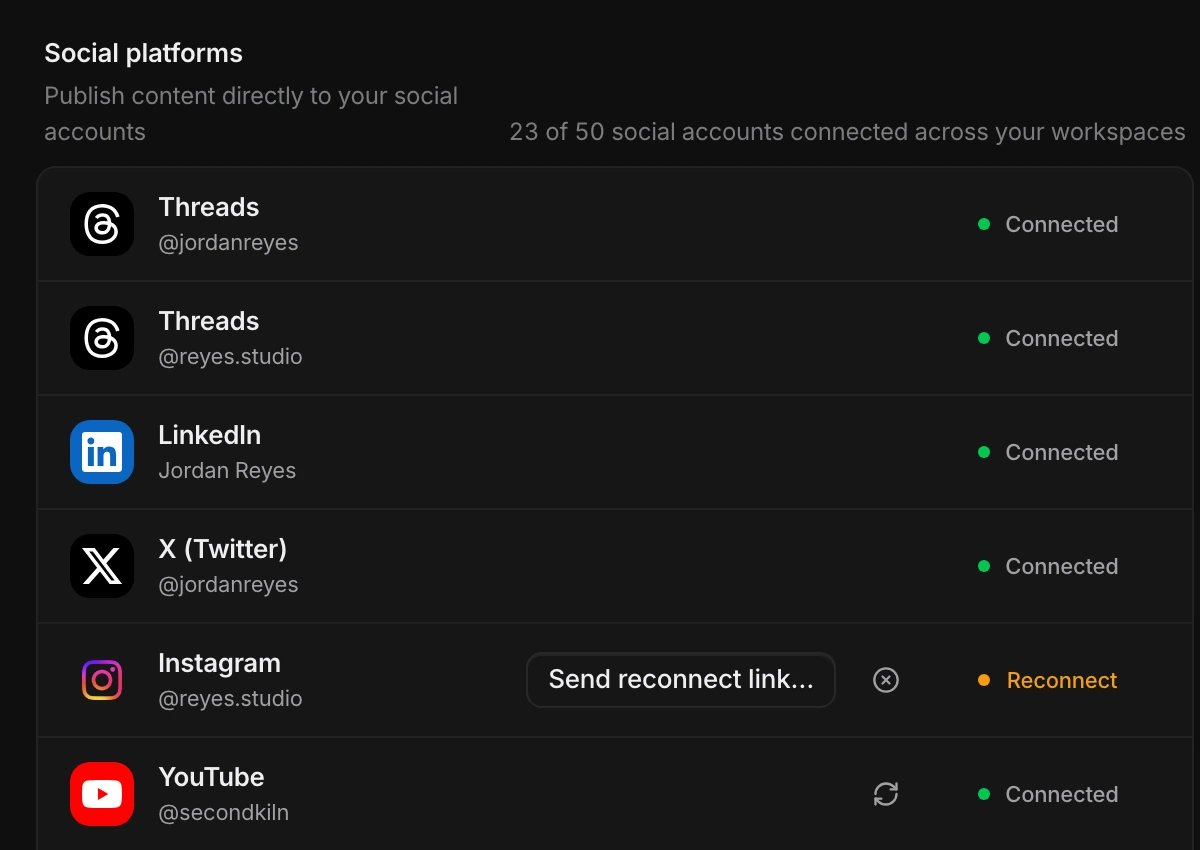
Each account in Settings shows where it stands. Connected means it is working. Not connected means it has not been connected in this workspace yet. Reconnect, in amber, means Distinctful can no longer reach the platform and is waiting on you. While a newsletter provider runs its first import, Apps can show Authorized until the import finishes. A newsletter can also show Setup needed until you pick a publication, Sync needed when a refresh is due, or Limit reached when your plan’s subscriber limit is full.
A connection says Reconnect. How do I fix it?
A platform shows Reconnect in amber where Connected used to be.
This nearly always means the access you granted has expired, or you revoked it on the platform. Reconnecting restores it. Nothing you have already published or synced is lost while a connection sits in this state. If someone else signs in to that account, Send reconnect link gives them a link to reconnect it.
- Open Settings and go to Social accounts.
- Find the platform showing Reconnect and choose it.
- Sign in on the platform and grant the same access you granted the first time.
- Wait for the state to settle on Connected.
Does Distinctful ask for my platform passwords?
No. X (Twitter), LinkedIn, Instagram, Threads, YouTube, Discord, Mastodon, beehiiv, and Kit all connect through their own sign-in page, so you never type those passwords into Distinctful, and you can cut off access from the platform at any time. Two connections work differently. Bluesky asks for your handle and an app password, which is a separate password you create inside Bluesky and can delete there without changing how you log in. Ghost asks for the Admin API URL and key of a custom integration you create in Ghost.
How do I disconnect a platform?
Choose Disconnect on that platform’s card under Social accounts in Settings. Syncing and publishing for it stop straight away. If you also want the access removed on the platform’s side, revoke it there as well.