The Solo Creator's Guide to Strategic Content Planning
Build a practical weekly plan from one reader problem, a realistic time budget, and a few publishable pieces, then organize the work in Distinctful.
A useful content plan answers four questions: who needs this, what will it help them do, what evidence supports it, and when can you finish it? A calendar gives those decisions a place to live.
Start with one week small enough to complete. You can add a longer roadmap once you know how much research, writing, and review the work actually takes.
Choose a reader problem before choosing a slot
“Newsletter growth” is a theme. “Check whether a signup form preserves a LinkedIn campaign label” is a task a reader can complete.
For each candidate idea, write a brief with four lines:
| Line | Illustrative brief |
|---|---|
| Reader | A consultant promoting an email newsletter on LinkedIn |
| Problem | They can see visits but cannot find a source on new subscriber records |
| Useful outcome | Complete one tagged test signup and inspect the stored fields |
| Evidence needed | A real signup check, provider documentation, and an explanation of missing fields |
This example is a planning exercise. Do not claim the check succeeded until you have done it. If the evidence is unavailable, publish a clearly labeled procedure or choose a narrower claim.
A small set of themes helps you choose between briefs. It should not force you to produce a weak post just because that theme has an empty slot.
Give the week a time budget
Suppose you have three hours, including review. Reserve forty minutes for delays and use the other 140 minutes deliberately:
| Work | Budget | Done means |
|---|---|---|
| Choose the question and gather sources | 20 minutes | A brief with the evidence still needed |
| Develop one newsletter edition | 70 minutes | A complete argument or procedure, ready for review |
| Adapt two useful social drafts | 30 minutes | Each post makes sense on its own |
| Check links, previews, and the schedule | 20 minutes | The intended destinations and next steps are verified |
| Unallocated buffer | 40 minutes | Room for research or a revision |
| Total | 180 minutes | A plan that fits the available week |
These are example allocations, not claims about how quickly you should write. If the evidence check needs an hour, reduce the output. A smaller complete plan gives you something to learn from; an overfilled calendar hides the unfinished work.
Move the brief into Distinctful
- Open Ideas → New Idea. Give the note a specific title and keep the brief, source links, and draft in its body.
- Use the editor's Task List command for unfinished checks, such as “verify the signup field” or “test the destination on mobile.”
- Use Tasks in Ideas to review open checkboxes. A task is work still to do; completing it does not publish a post.
- When a passage is ready to become a social draft, select the text and choose Convert. For a single destination, choose the platform in Where does this live?, then Send to Calendar.
- On Calendar, open the new card. Check the draft, connected publishing account, platform preview, and time. Conversion carries the selected text into a card; it does not replace the final account and scheduling checks.
- Explicitly schedule the post when it is ready. Prepare and send the newsletter in Beehiiv or Kit, then use the imported edition for later review.
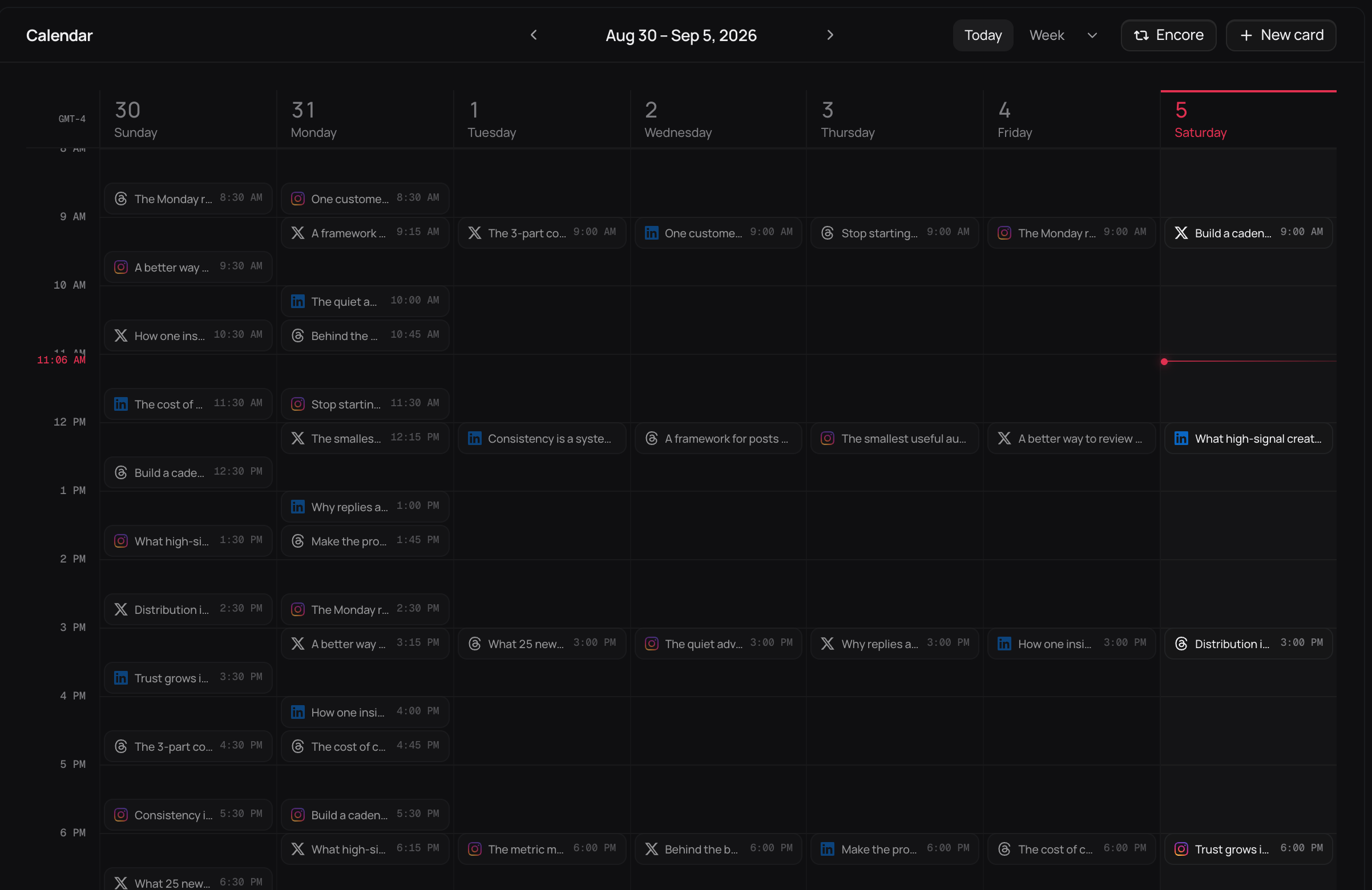
Interface illustration with a sample publishing week. The dense schedule demonstrates the Calendar layout; it is not the recommended volume for the three-hour example.
The idea-to-post walkthrough explains that handoff. For turning an edition into several distinct drafts, use the repurposing guide.
Keep a longer horizon light
Use the quarter to choose a small number of reader problems worth exploring. Use the month to collect possible editions and note any real launch dates. Use the week to commit to finished pieces.
Keep optional ideas separate from promised work. A new customer question may justify replacing a draft; that is useful adaptation when you can explain the reason. Daily adjustments are not evidence that your planning system failed.
Review the plan against what happened
At the end of the week, record what shipped, what remained unfinished, and which reader responses deserve attention. Keep publishing results, subscriber changes, and checkout figures distinct. The guide to subscriber and purchase evidence explains how to read them together without assigning unsupported credit.
Write one change for next week: allow more research time, clarify a recurring question, or reduce the number of destinations. The plan becomes useful through those adjustments, not through a promised posting frequency.
What this cannot tell you
- A publishing schedule records intended work. It does not establish how much reach, subscriber growth, or revenue that work will produce.
- Planning time and production time vary. The example budget is a constraint to work within, not a universal recommendation.
- A card on Calendar still needs its content, connected account, and explicit publishing schedule checked.
Questions
How should a solo creator plan content?
Choose a reader problem, define what a useful piece would help them do, and reserve time to make it. Turn the strongest idea into a small number of drafts, then give each a destination, review step, and publication time.
What are content pillars?
Recurring themes that help readers understand what you cover. Start with a few themes you have evidence or experience to support; use them to choose ideas, not as a quota that requires filling every category each week.
How far ahead should I plan?
Use a longer horizon for themes and a shorter one for finished work. A quarterly theme, monthly topic list, and weekly schedule can work, but adjust the horizon to how quickly your evidence, availability, and reader questions change.
Does a Calendar card mean the post is scheduled?
No. A content card can hold unfinished work. Open it, check the draft and publishing account, and explicitly schedule or publish when it is ready. Your newsletter itself continues to send through your newsletter provider.
Put a manageable week on the calendar
Follow the product walkthrough to move developed ideas into drafts, choose destinations, and review the week before scheduling.
Related posts
Notion vs Buffer: Content Calendars for Solo Creators
Choose Notion for a flexible content plan, Buffer for a publishing queue, or both with a clear handoff. Compare drafts, dates, integrations, and ongoing upkeep.
Platform Risk for Creators: A 10-Point Checklist
Reduce platform risk with ten checks for audience access, content backups, account recovery, and income dependence. Score your gaps and choose the next fix.
How to Organize Content Ideas Into a Usable Backlog
Organize content ideas in one backlog with a reader question, useful angle, source, and next step. Use this template to choose what to draft and what to park.