How to Repurpose Newsletter Content for Social Media
Turn one edition into three useful social drafts, then follow Distinctful's repurposing workflow from imported newsletter to reviewed, scheduled posts.
A newsletter already contains material you can reuse: an argument, an example, a process, or a useful question. The work is deciding which part can stand alone and rewriting it so a reader can understand it without opening the edition.
This guide starts with a complete example, then shows where that work happens in Distinctful. You can do the example manually with any editor. Automatic repurposing is a separate convenience for eligible new editions.
Start with one edition and three distinct ideas
Illustrative source passage, written for this guide:
Before promoting a newsletter, test the signup path. Give the post link and profile link different placement labels. Open each in a clean session and check that the form stores those labels. A dashboard visit is not a completed signup, and a stored source does not tell you every reason the reader subscribed.
This passage supports three useful posts. Each has a different job:
| Draft | Idea retained | Detail the reader can use |
|---|---|---|
| Practical post | Test before promoting | A short end-to-end signup check |
| Short post | Separate visits and signups | Which measurement answers which question |
| Discussion post | Preserve placement labels | A concrete naming example and a question |
Avoid inventing a customer story or a performance result to make the passage more interesting. The useful evidence here is the reproducible procedure.
Rewrite each idea as a complete post
LinkedIn: the practical check
Before you promote your next newsletter, test one signup from start to finish.
Open the tagged link in a private window. Subscribe with a test address you control. Then check the subscriber record for the campaign label.
If the label disappears at the form, fix that handoff before scaling the promotion. More traffic will not repair missing source data.
The post contains the procedure without requiring a click. If you want a newsletter link, add one whose destination provides the promised additional detail. Keep it distinct from your profile link.
X or Threads: the measurement distinction
A newsletter link visit and a newsletter signup are different events. Check the landing-page report for the visit and the subscriber record for the signup. One dashboard cannot substitute for both.
The qualification survives the shorter format. The post does not turn a tagged signup into a claim about motivation.
LinkedIn or Threads: the implementation question
My example naming scheme separates a newsletter post link from its profile link:
campaign: weekly_newsletter content: post_edition_12 or profile_contact_info
The campaign groups the promotion. The content value separates the placement. Does your signup form preserve both?
This is a proposed naming scheme, not a claim that a real campaign produced results. Adapt the voice and platform length, then check the LinkedIn signup walkthrough before relying on the labels.
Run the workflow in Distinctful
For the automatic path, connect Beehiiv or Kit. Automatic repurposing is included on Grow and Scale and uses AI credits. Check pricing for the current plan details.
- Choose the publication. On Home, select the connected newsletter you want to use. Sending still happens in Beehiiv or Kit.
- Enable the drafts. Open More newsletter actions → Repurposing and turn on Repurpose new editions.
- Set the destinations if needed. Open Customize. Under Formats, choose Single post or Thread, or leave both unselected for Distinctful to choose. Destinations includes X, Threads, LinkedIn, and Bluesky. Thread format supports X or Threads.
- Send a new edition through your provider. Let Distinctful import its readable content. The automatic path does not backfill your old archive; the edition must be published and captured after enablement.
- Review the generated drafts on Calendar. Open each draft and compare it with the source edition. Check the factual claims, links, context, and platform preview. The proposed dates and drafts still need your judgment.
- Choose accounts and publication time. Save drafts while editing. Use Schedule Post or Publish only when the version is ready. Enabling repurposing alone does not publish anything.
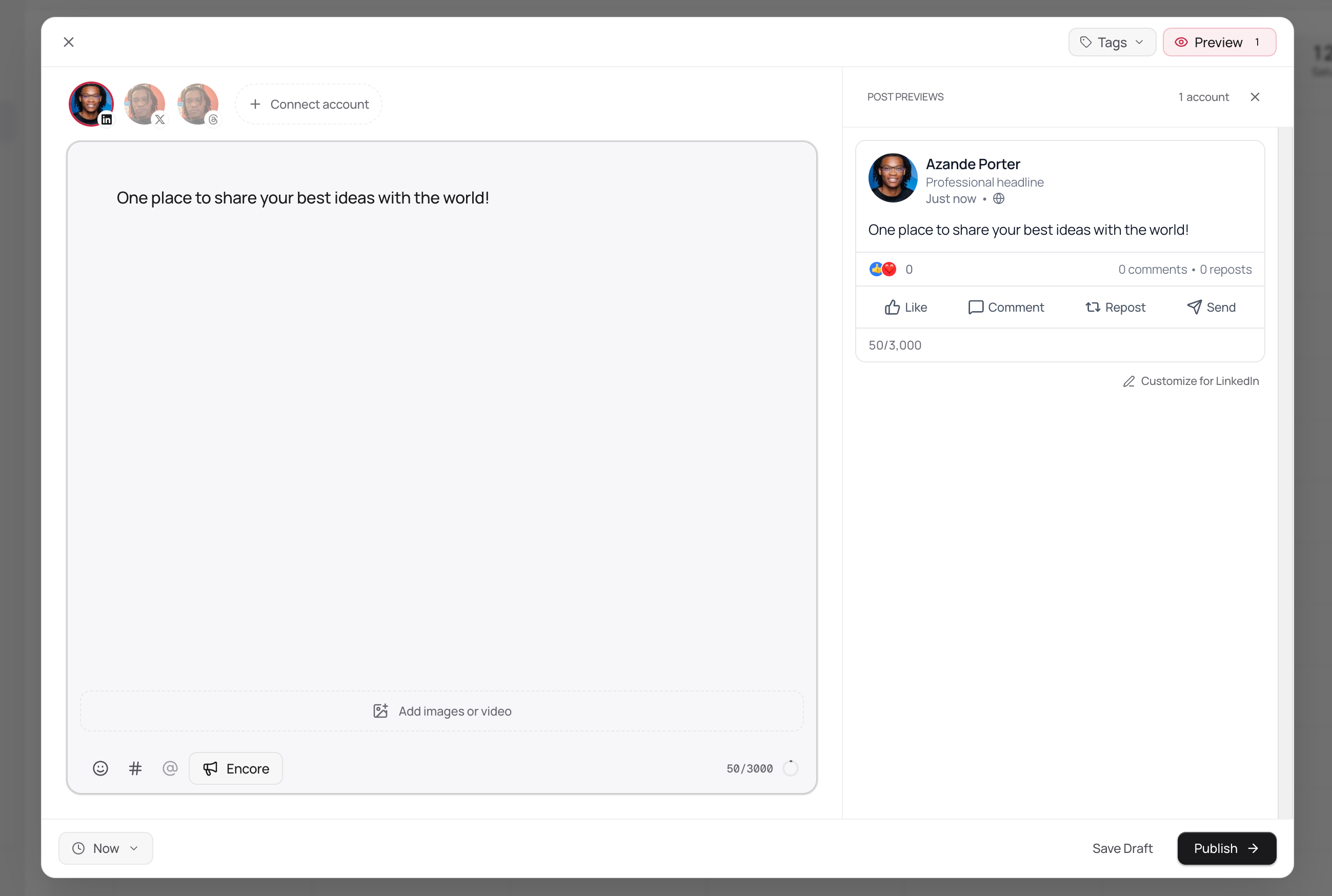
Interface illustration with sample copy. The editor is on the left, the destination preview is on the right, and the draft and publishing controls are below. This is not a screenshot of a measured repurposing experiment.
If no draft appears, check the publication connection, plan access, credits, enablement time, and whether readable content was imported. An old edition or missing body is not evidence that a campaign performed badly; it is a different input condition.
For an older edition, use the manual extraction above and prepare the posts yourself. The publishing walkthrough covers connected accounts and platform versions.
Review the draft against its source
Before scheduling, check four things:
- Accuracy: every factual claim is supported by the edition or a linked source.
- Context: caveats still make sense after cutting the surrounding paragraphs.
- Destination: the selected account, format, link, and preview are correct.
- Value: a reader gets a complete thought even without subscribing.
The number of drafts is not the goal. Three distinct, useful posts are a better starting point than an arbitrary quota of nearly identical excerpts.
If the drafts are ready but the week is still hard to organize, use the newsletter social-post planning guide. It connects each draft to a publishing date and a reason for the reader to visit your signup page.
Record a small experiment
Try the three versions over one week at a cadence you can maintain. Keep a simple record of the edition, draft, platform, publication time, and tagged link where used. Record the relevant post metrics from the social platform and signups from the newsletter provider as separate observations.
At the end of the week, note what was recorded and what remains unknown. A post may earn replies without measurable signup data; a signup may have no surviving source label. Repeat across several editions before treating a pattern as a strategy.
Distinctful keeps the publishing history near supported newsletter information. It does not create a measured link or identify which post caused a signup. The useful next question is which topic or format deserves another carefully measured attempt.
For a fuller explanation of the evidence boundary, see what subscriber and purchase records can establish.
What this cannot tell you
- Automatic repurposing needs a supported connected publication, eligible plan access, credits, and readable new edition content.
- Draft generation does not guarantee a particular number of posts, engagement level, or subscriber result.
- A recorded signup source can support a comparison, but it does not prove why someone subscribed.
Questions
How do I repurpose newsletter content for social media?
Choose a self-contained argument, example, or practical step from an edition. Rewrite it for the destination, preserve any qualifications, and give the post enough substance to stand alone. Review the result before attaching a newsletter signup link or scheduling it.
How many posts should I make from one edition?
Start with the number of ideas that stand on their own. This guide demonstrates three drafts from one short example. Five to ten can be a planning target for a substantial edition, but it is not a performance benchmark or a guaranteed automatic output.
Where do I turn on automatic repurposing in Distinctful?
On Home, select the publication and open More newsletter actions, then Repurposing. Enable Repurpose new editions. Automatic repurposing is included on Grow and Scale and uses AI credits. Customize lets you choose formats and destinations.
Does enabling repurposing publish posts automatically?
No. It creates editable drafts for review on Calendar. You still choose the publishing accounts and time, then explicitly schedule or publish. Your newsletter itself continues to send through Beehiiv or Kit.
Will it repurpose my whole newsletter archive?
No. Automatic repurposing applies to eligible new editions published and captured after you enable it. Distinctful needs readable edition content. Use an older edition manually if you want to work through the example in this guide.
Can repetition hurt engagement?
It can. Audience overlap, timing, and how much new value each version adds all matter. Compare responses over several cycles and stop repeating a version that adds nothing. There is no universal no-penalty rule.
Take an edited draft through to publication
Follow the publishing walkthrough to connect destinations, preview each version, and choose when it goes live.
Related posts
Best Schedulers for Instagram, LinkedIn, X, and Threads
Choose a scheduler for Instagram, LinkedIn, X, and Threads by account type, post format, publishing method, and total cost. Compare five options for solo work.
How to Export LinkedIn Connections and Social Followers
Export LinkedIn connections through your data settings, then check what the file contains. Compare X, Threads, and Bluesky backups without building a spam list.
Why Do My Posts Reach So Few Followers?
Your follower count does not guarantee reach. Learn how ranked feeds work, read views without confusing them with people, and plan what to change next.