How to Come Up With Content Ideas When You're a Solopreneur Running Everything
Turn a question from your work into a sourced idea, an editable note, and a social draft, with a complete example and the current Distinctful workflow.
A useful idea record preserves why a topic mattered when you noticed it. Save the question, the person it could help, and the evidence you would need to answer it. That gives you something concrete to develop when it is time to write.
You do not need a large backlog. Start with one question you can answer well.
Find a question in work you already do
Look for an explanation you have repeated, a problem you recently solved, or a reader reply that exposed a missing step. Keep the distinction between those sources visible.
| Source | What to capture | What it does not establish |
|---|---|---|
| A reader asks a question | Their question and the context, with identifying details removed where unnecessary | That most readers share the problem |
| You solve a workflow problem | The starting condition, steps, result, and limitations | That the same result holds for every setup |
| A post attracts replies | The actual questions and disagreements | That replies imply purchase intent |
| You read a useful explanation | Its source link and the point you want to examine | That you have independently tested its claim |
A search tool can help find related questions. An AI tool can suggest angles. Neither turns an invented story into firsthand evidence.
Build one note with enough context
Illustrative note, written for this guide:
Question: Why does a newsletter signup lose its campaign label?
Reader: Someone promoting a newsletter through a social profile.
Useful outcome: Identify the point where the tag disappears.
Evidence: The tagged URL, the final URL after redirects, and the fields stored on a test subscriber.
Unresolved: Does this form preserve campaign values on mobile?
Next step: Run one test signup with an address I control.
This note is more usable than “write about attribution.” It contains a procedure and a question that still needs an answer. If you have not run the test, the eventual post should explain how to check the path rather than report a result.
The LinkedIn signup guide works through that example in detail.
Capture and develop it in Distinctful
- Open Ideas and choose New Idea. Add the question as the Idea title and put the context in the editor.
- Keep source links beside the claims they support. Use headings to separate the draft from unresolved questions.
- Type
/in the editor and choose Task List. Add the work that remains: verify a field, inspect a source, or review a link. - Return to Ideas and choose Tasks, then Open, to review unfinished checkboxes. All also includes completed tasks. Open an idea from that list when you need the surrounding context.
- Check that the note saves successfully before leaving it. Resolve a save error or an Edited elsewhere notice before treating the local draft as the saved version.
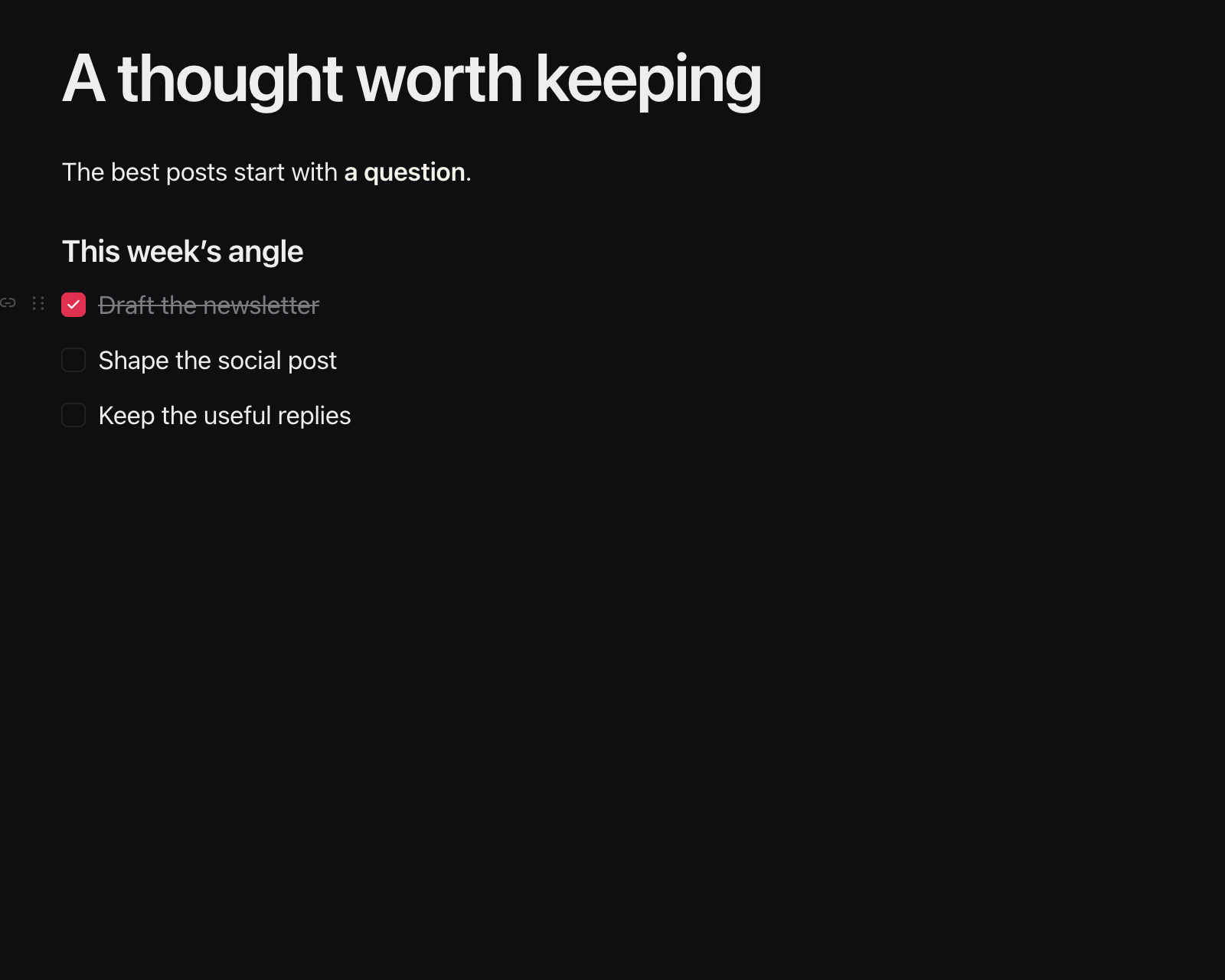
Interface illustration with sample text. The checked and unchecked tasks show how unfinished work stays beside the idea; completing one does not publish content.
Turn the useful passage into a draft
After checking the source, the note might yield this standalone post:
Before you promote a newsletter signup page, test the path once.
Open the tagged link, check the destination after any redirect, and inspect the fields stored on the test subscriber.
If the campaign value disappears, you now have a specific handoff to investigate.
That is an example draft, not a report of a completed test. Replace it with the details you can substantiate in your own workflow.
In the idea, select the passage to reuse and click Convert. In Where does this live?, choose one platform and click Send to Calendar. Open the resulting card to refine the wording and choose the actual connected account, platform preview, and publication time.
The selection is carried into a content card. Do not assume conversion has produced different copy for every platform or scheduled a publish. Review each version before using Schedule Post or Publish.
Choose what deserves another cycle
Keep an idea when it has a specific reader, a useful outcome, and evidence you can obtain. Defer it when the premise is still unclear. Keep interesting but unrelated topics out of the week's committed work.
After publishing, return to the note with what you learned: an unanswered reply, a mistaken assumption, or a detail worth expanding. Review subscriber and purchase evidence when evaluating business context, while keeping recorded activity separate from inferred intent.
When you have a few developed ideas, use the weekly planning guide to choose a workload you can finish. A usable idea is one you can pick up with its context intact.
What this cannot tell you
- One reader question identifies a useful lead, not the size of market demand or a guaranteed successful post.
- An AI-generated angle still needs source checking. A plausible example is not an observed customer story.
- Convert creates a content card from selected text. It does not automatically fact-check, tailor, schedule, or publish the final post.
Questions
Where should a solopreneur find content ideas?
Start with questions you receive, problems you have worked through, and explanations you keep repeating. Preserve the original context and any source material, then choose a reader problem you can answer with evidence.
What should I write down when I capture an idea?
Save the question, intended reader, useful outcome, supporting evidence, and one next step. A topic alone often leaves too much to reconstruct when you return to it.
How do I turn a Distinctful idea into a post?
Develop the note, select the passage to reuse, and choose Convert. Select a destination and send it to Calendar. Open the resulting card, review the content and actual publishing account, then explicitly schedule or publish.
Does completing an Ideas task publish anything?
No. Tasks are checkboxes in your notes, collected into the Tasks view. Checking one marks that work complete. Publishing is a separate step in the composer.
Does every saved idea belong on the calendar?
No. Develop ideas that answer a specific reader question and have adequate evidence. Keep unresolved questions in the note instead of using a publication deadline as a reason to invent an answer.
Take one developed idea into a draft
See how the note, unfinished tasks, composer, and Calendar fit into the same publishing workflow.
Related posts
Notion vs Buffer: Content Calendars for Solo Creators
Choose Notion for a flexible content plan, Buffer for a publishing queue, or both with a clear handoff. Compare drafts, dates, integrations, and ongoing upkeep.
Platform Risk for Creators: A 10-Point Checklist
Reduce platform risk with ten checks for audience access, content backups, account recovery, and income dependence. Score your gaps and choose the next fix.
How to Organize Content Ideas Into a Usable Backlog
Organize content ideas in one backlog with a reader question, useful angle, source, and next step. Use this template to choose what to draft and what to park.